 Statico
Changing your website platform: SEO and redirects
Keep your search rankings intact when switching platforms. Practical steps for mapping 301 redirects, preserving metadata, and auditing pages post-launch.
Changing your website platform, for example moving from WordPress to a static site, does not require changing old URLs. If a page lived at /services/repair/, it can keep that URL, along with its text, title, and description. You do not need a redirect just because the platform changed. But no one can guarantee that every page will keep its rankings. Keeping URLs removes one source of risk, but search results depend on other factors too.
I would start a migration by asking, “What actually needs to change for visitors and search engines?” rather than, “Where should we set up redirects?” For a typical service business website, the answer is often simple: almost nothing. You can replace the technical foundation while keeping the familiar URLs.
Can you preserve URLs when you change platforms?
In WordPress, a page is assembled from data, a theme, and plugins. When you migrate WordPress to a static site, its HTML pages can be prepared in advance rather than assembled by WordPress for each request. But the way the project is organized behind the scenes does not dictate the URL visitors see in their browser.
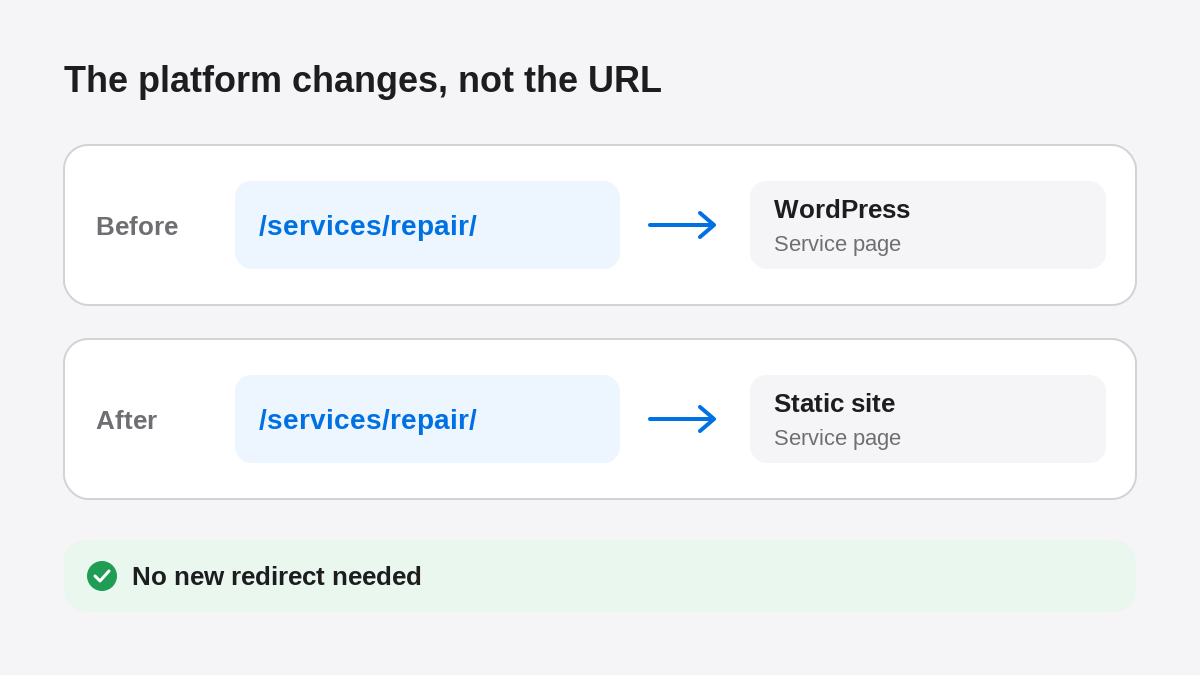
You can change platforms without changing a page URL or adding a redirect.
For example, the service page copy might live in a project file instead of the WordPress database. That does not mean visitors should have to use /pages/repair.html instead of /services/repair/. That is a development choice, not a technical requirement.
At Statico, that is how platform replacement works: we map every existing page URL one-to-one into the new Astro routing structure, so incoming links and search engine indexes don’t encounter sudden 404s or unnecessary redirect chains.
Google distinguishes between a site move with no URL changes and a site move with URL changes. A URL is the full address of a page. Changing your hosting provider or platform does not, by itself, mean you need to change it.
So avoid removing category names from URLs, changing their spelling, or making links “prettier” at the same time. Sometimes those changes make sense, but then you are doing two things at once: migrating the site and changing its public structure. That means more checks, and it becomes harder to tell what caused a problem.
When does a platform change need redirects?
A redirect automatically sends visitors from one URL to another. You need one when a page has actually moved. For a permanent move, Google recommends server-side redirects with a 301 or 308 status code.
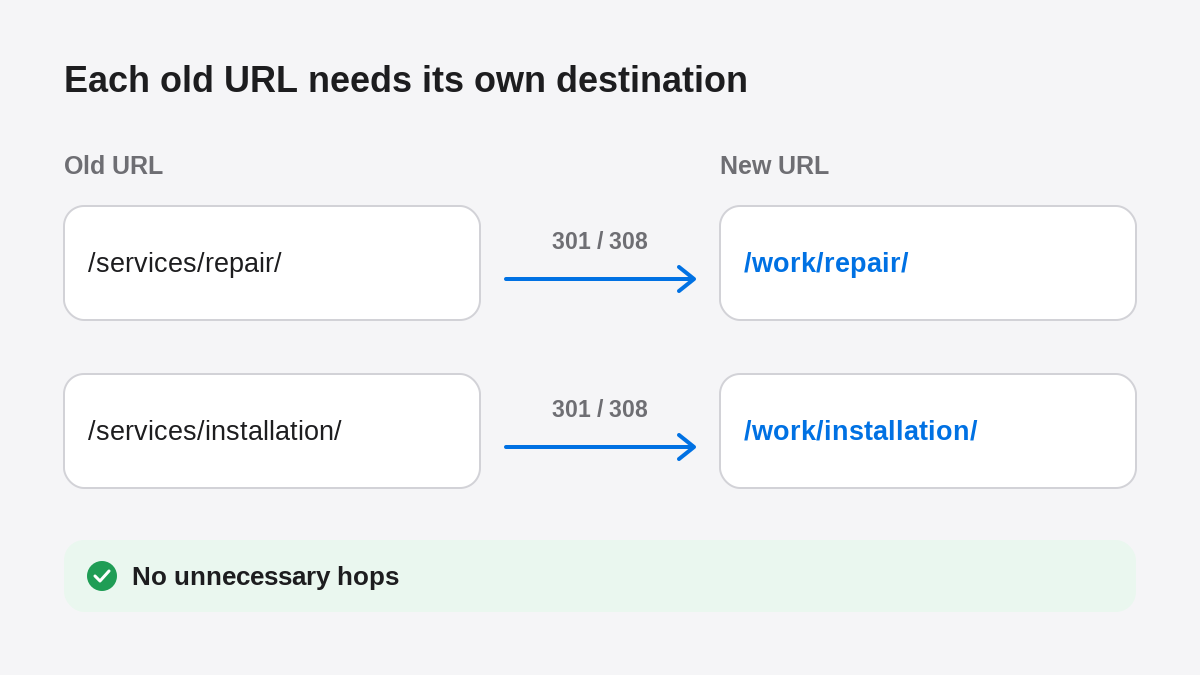
Each changed URL needs a direct redirect to its corresponding page.
| What happens to the page | What to do with the old URL |
|---|---|
| The URL and content stay the same | Serve the page directly, with no new redirect |
| The URL changes, but the content stays | Redirect to the new URL for that page |
| Several pages are deliberately combined | Redirect to the page that genuinely replaces their content |
| The page is removed with no replacement | Return a 404 or 410 response instead of disguising the removal with a redirect to the homepage |
Say you decide to rename /services/ to /work/. Each service page whose URL changes needs its own entry in the redirect map: old URL → new URL. Redirecting every old page to the homepage is not a substitute for that map. Someone looking for repairs for a specific piece of equipment would end up on a general company page instead.
It is also best to avoid redirect chains: an old URL points to an intermediate URL, which points to another URL, and so on until the visitor reaches the page. If you know the final URL, send visitors there directly.
Do not remove these redirects right after launch. Google recommends keeping them for as long as possible, typically at least a year. Old links may still appear in bookmarks, emails, and on other websites.
Existing redirects are a separate task. If you once changed URLs using a WordPress plugin, those rules will not automatically work on the new platform. Collect and check them separately. The list of current pages and the list of old redirects are two different things.
Keep the meaning of each page, not just its URL
Keeping a URL but replacing a detailed service page with a short promotional section changes what search engines find at that address. The link works, but it now leads to different content.
That is why I would not combine a technical migration with a sitewide rewrite, a round of page deletions, or a wholesale change to headings. First move the existing site and check it. Then improve the content. That makes it easier to understand the effect of each change.
At Statico, we transfer copy word for word and preserve title tags and meta descriptions. The title tag is the page title in its HTML; the meta description is a description stored in its metadata. Not having the familiar SEO plugin does not mean these details disappear. Search engines care about what is in the page’s code, not which tool created it.
Along with title tags and meta descriptions, check other page elements:
- Headings and internal links.
- The canonical URL, if the page uses one. A canonical tag tells search engines which URL is the preferred version.
- Structured data, if the old site had it.
Structured data is additional markup that helps search engines understand a page, such as information about a business or an article. It is not another name for title tags and meta descriptions.
So a promise to “automatically transfer all schema” does not tell you much without a list of the schema types and a check of the result. If a particular type of structured data matters to your site, include it in the requirements and verify it after migration. Updated HTML alone does not prove that the markup is there.
Why no one can promise to preserve every ranking
A careful migration and a guaranteed position in search results are not the same thing. You can preserve URLs, content, and metadata, make sure pages are not blocked from indexing, and still see ranking changes. Search results change even for sites that do not move at all.
That does not mean every loss is normal. If an important page no longer loads, has the wrong title tag, or is blocked from indexing, that is a specific error to fix. But I would treat a promise that “not one page will lose a single position” as a warning sign. A contractor is guaranteeing something they do not control.
Redirects are similar. Google says that permanent redirects do not cause a loss of PageRank, one of the signals used to assess links. That does not mean every migration with redirects will automatically preserve all search traffic. It still matters whether old pages match their new destinations, whether content was preserved, and whether the site has technical errors.
Performance can improve after you remove a heavy theme and unnecessary scripts. Instead of saying “the site is better,” check whether the main content appears sooner, the page shifts less as it loads, and buttons respond faster.
Core Web Vitals measure page loading, responsiveness, and visual stability. Compare them before and after the move instead of promising an improvement in advance. Google also warns that good page experience scores do not guarantee top rankings. A fast site helps visitors, but it cannot replace relevant content.
Website migration SEO checklist: before launch
Your best protection is a list of old URLs and a clear expected result for each one. Do not include only pages in the main menu. An article the owner has long forgotten may still get search traffic.
Build the list from the sitemap, a crawl of the current site, Search Console, and whatever analytics data you have. Search Console is Google’s service for checking how a site appears in search. Ask whoever maintains WordPress for a separate list of active redirect rules.
Before launch, work through this checklist:
- Check page names and full URLs, including the path, protocol, preferred domain version, and trailing slash. Keep one consistent URL format instead of accidentally creating several versions of the same page.
- Open the homepage, service pages, pages that get search traffic, and older articles on the new site. Review the copy, images, headings, and internal links, not just whether the first screen looks similar.
- Compare each page’s title tag and meta description. It is easy to miss a generic site title used on every article because it may not be visible on the page.
- Check that the live site does not accidentally keep a block in
robots.txtor anoindextag from the test version. If you use canonical tags, they should point to the correct live URL, not the preview. Recheck the live domain settings after switching. - Review the redirect map and existing rules. Make sure each link leads to the right content without loops or unnecessary extra hops. Test the rules on the live domain after the switch, too.
- Review special and less common URLs separately. These can include categories, tags, pagination, attachment pages, file links, and URLs with parameters. Not every URL needs to move as a standalone page, but the decision should be deliberate.
That last point matters when someone says, “We’ll preserve all your links.” A published service page, its old address from before a rename, and a technical WordPress URL are not necessarily the same migration task. Agree on what is included in advance.
The sitemap should also list the current live URLs. It helps search engines discover pages, but it does not replace working links or a check of the site itself.
What to check after launch
After switching, first check that pages load on the main domain. The preview may have worked correctly, but a problem may have appeared during domain setup or publishing. Open old links directly, follow the navigation, and test forms. Preserving a search landing page is not much help if visitors can no longer send an inquiry.
Then check Search Console. Keep two questions separate: “Does the page load?” and “Has Google indexed it?” You can answer the first right away. The second depends on when Google revisits the page and processes the changes.
Look at the indexing report and inspect important URLs individually. Watch for unexpected exclusions, pages Google cannot access, and cases where Google chooses a different canonical URL. When a site moves to new hosting infrastructure, Google allows for a temporary drop in crawl rate. Crawl rate is not the same as rankings or traffic, so do not confuse those measures.
Before launch, save your baseline data: search clicks, impressions, and a list of important landing pages, meaning pages people arrive at from search. After the move, compare equivalent time periods and account for seasonality and changes in demand.
If one service page drops in the rankings, start by checking its URL, content, metadata, and whether search engines can index it. If the whole site changes, look for a sitewide cause. Do not rewrite every heading in response to the first fluctuation. That will make it harder to work out what happened.
For routine upkeep after launch, see our website maintenance guide. To start with the migration itself, pick a few important old links and check how they will work on the new site. Do not look only at the homepage. Check where a search result leads, whether the right content appears, and whether the page is still recognizable.